Banana for Scale
A FreeCAD addon that puts a banana, a soda can or a 3DBenchy next to your model, so you can see at a glance how big it really is.
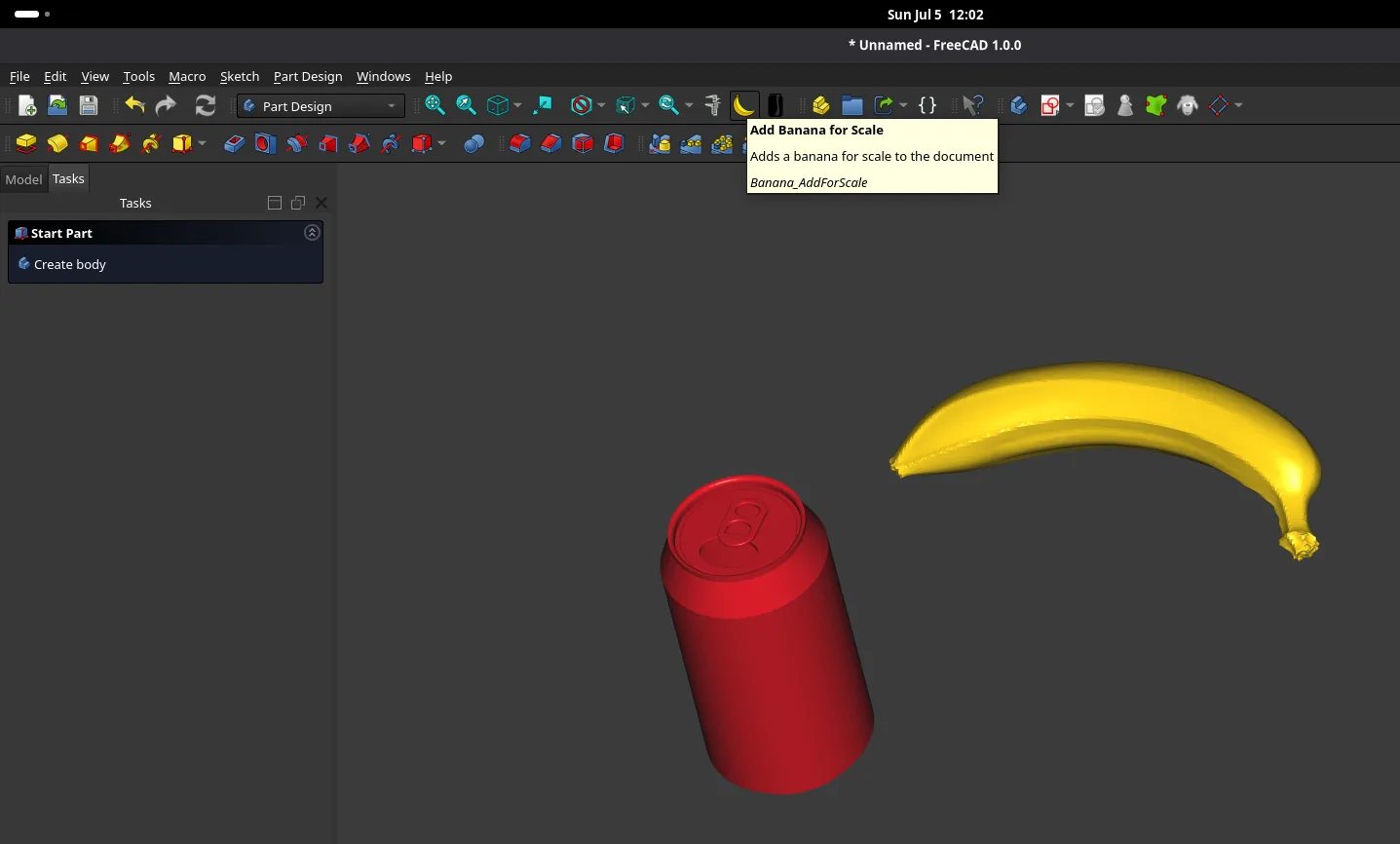
Three things to measure against
- BananaAbout 180 mm long, so a quick sense of scale in any model.
- Soda canA classic 440 ml can for the more practical reference.
- 3DBenchyThe famous boat, for when the model is a print test.
How to use it
- Open the Addon Manager from the Tools menu and search for Banana.
- Install it and restart FreeCAD. The toolbar buttons only register at startup.
- Pick an object from the Add Object for Scale dropdown. The transform tool opens right away so you can move it into place.
From idea to the Addon Manager
- '26 7 5
Submitted
Opened a request to add the addon to the FreeCAD Addons index.
- '26 7 11
Merged
A FreeCAD maintainer merged it, and it appeared in the Addon Manager.
- '26 7 12
On the FreeCAD blog
Announced in the FreeCAD news blog as a new addon.
The addon request is public on GitHub. The banana and can models are CC0.